Drag and drop
From your browser, desktop or file manager. Whole folders too, and the junk (a .log, a .DS_Store) stays out.
Grimorio collects, organizes and finds your images, videos, sounds, PDFs and 3D models. Native, fast and AI-free. Your library is a plain folder you can open without it.
Also for Linux (.tar.gz) and Windows (.exe) · all releases
Windows 10 or laterLinuxFree foreverAGPL-3.0
Everything in sight. Videos play when you hover them and the detail panel shows what matters about each item.
Organize without leaving the keyboard. Stars with a number key, several items at once with Ctrl and tags in bulk with Ctrl K.
Find it as fast as you can type it. Tag suggestions, filters and stars in a single search box.
Zoom down to the pixel. And an eyedropper that copies the color with one key.
3D models with their own viewer. Rotate them, switch views with the axes and check their size in millimeters.
Drag from your browser, paste with Ctrl V or capture part of your screen. Grimorio copies the file into your library, makes its thumbnail and palette, and has it ready to search.
From your browser, desktop or file manager. Whole folders too, and the junk (a .log, a .DS_Store) stays out.
A copied image, some files or a web address. Paste it on the grid and it's in.
Ctrl Shift X and draw around part of the screen. The capture goes straight into your library.
Pick a folder, like your downloads, and whatever lands in it gets imported on its own.
Thousands of files at once, with a progress bar and a window that never freezes.
If an identical file is already in your library, Grimorio spots it on import and you don't end up with three of the same.
Tags, stars, notes and folders that combine without getting in each other's way. An image can live in several folders at once, and everything works the same with one item or a hundred.
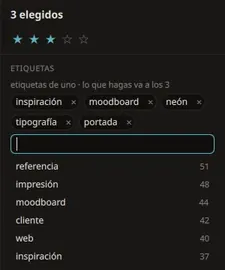
Autocomplete as you type, groups to keep things tidy and a color for each group.
From 0 to 5 with the keyboard. Later, filter for the ones above four.
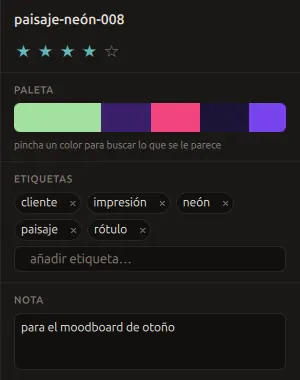
Write down why you saved something. Notes are searchable too.
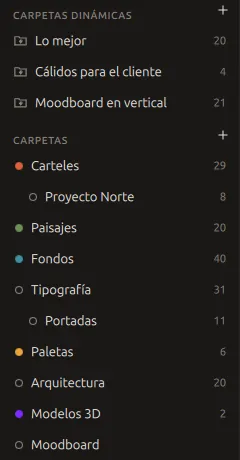
As many levels as you like, each with its own color. An item can live in several.
Save a search and it becomes a folder. It keeps itself up to date.
F2 with several items selected and a pattern like ref-{n:3}-{nombre}.
Every change can be undone, including the one that touched a thousand items at once.
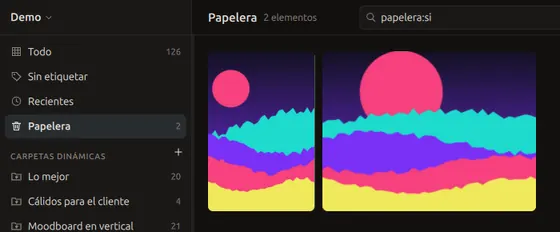
Whatever you delete goes to the trash. Nothing disappears until you empty it.
Mark sensitive items as 18+ and they get blurred in the grid. Handy when you share your screen.
One search box understands words, tags and filters. Type #warm estrellas:>=4 and you're there. Searches you run often can be saved as smart folders.
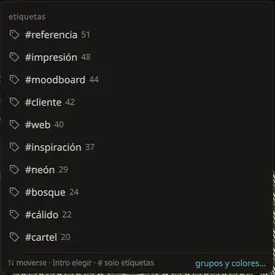
Tags and folders show up as you type, with how many items each one holds.

Type, color, date added, stars, orientation and duplicates. They combine with each other and with what you type.
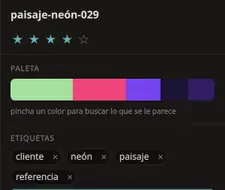
Every image comes with its palette. Click a swatch and everything that shares it shows up.
Exact copies and near matches, even when the size changed. A hundred thousand checked in half a second.
By date, name, size or stars, from the sort menu.
Double click or press Enter and the viewer opens instantly, tailored to what you're looking at. Press Esc and you're back where you were.
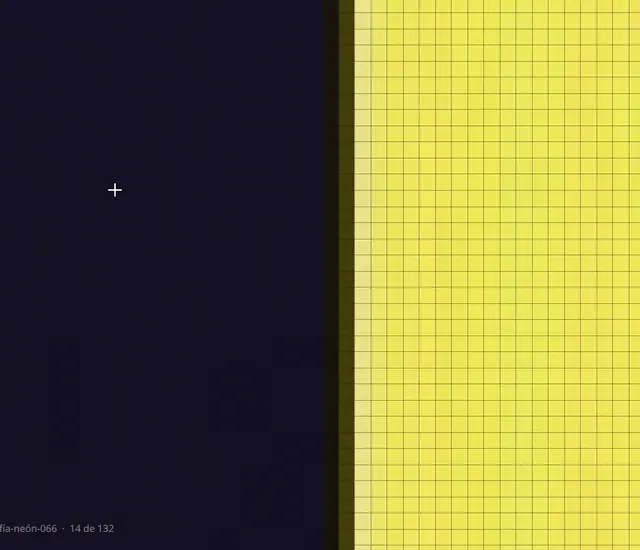
Get close enough to see the grid. Press C and the color under the cursor is copied.
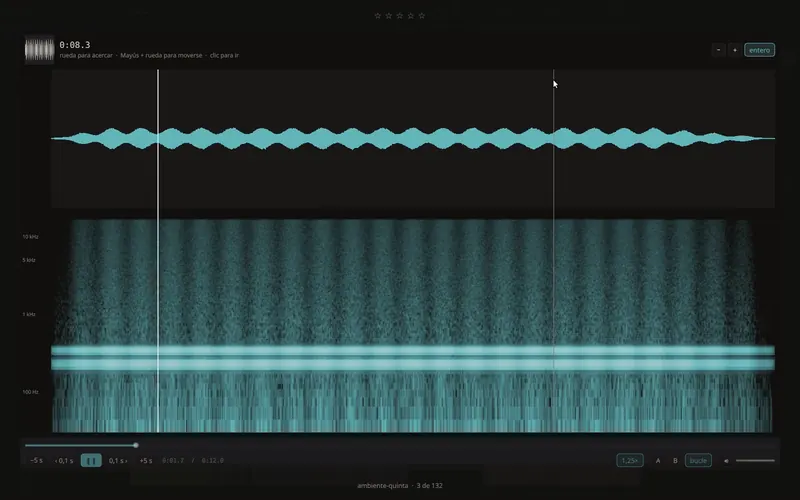
See how it sounds before you hit play. Click the waveform to jump to that moment.
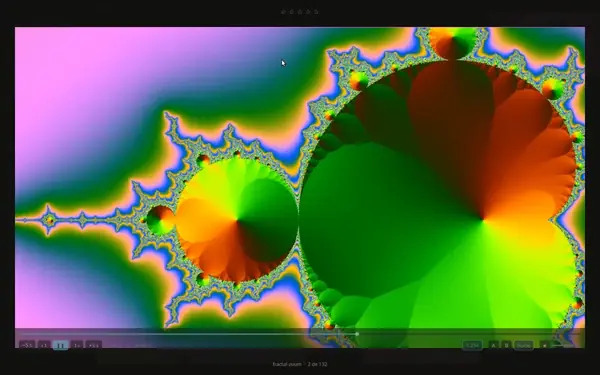
Speed, frame by frame with , and ., and an A-B loop.
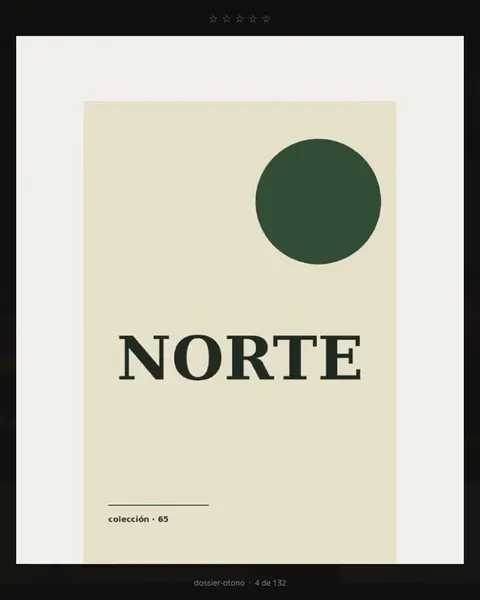
With a thumbnail in the grid and PgUp or PgDn to turn pages.
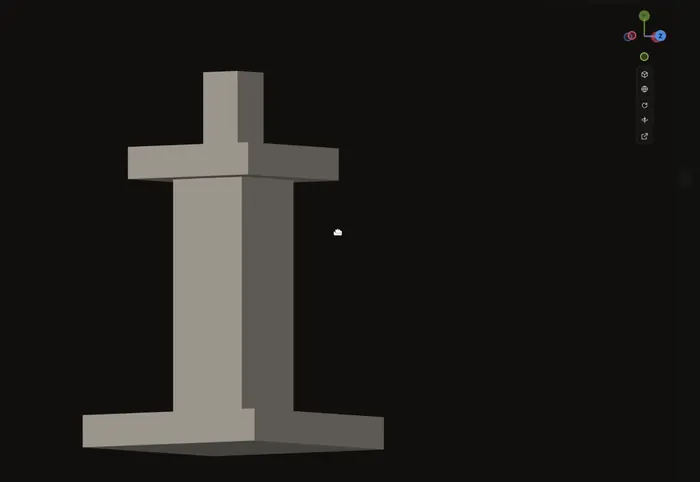
STL, OBJ, 3MF, glTF and more. Blender-style axes and a button to straighten the part.
PSD, AI, EPS, Krita, Sketch and RAW files show up without opening the app that made them. Fonts are stored and organized too.
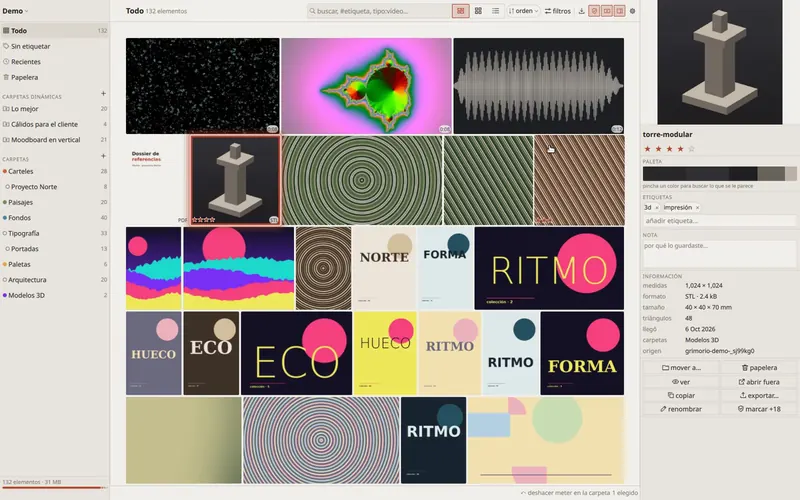
Two themes and an interface scale from 80 to 150%. Every visual detail comes from a JSON theme you can copy and tweak.
Every release is measured against a library of one hundred thousand items on an ordinary laptop. If something gets slower, that release doesn't ship.
Rust coreNative Qt 6 interfaceNo browser insideLow memory use
If you ever stop using Grimorio, your things stay right there, with their tags and notes, readable in any text editor.
The library is a folder with one item.json per item next to the original file. The index.sqlite index is derived, so you can delete it and it gets rebuilt.
No Electron, no Tauri, no hidden browser. A native app that starts fast and uses little memory.
Everything the app does can be done from the terminal with grim. The interface is just one more client.
No auto-tagging, and nothing that sends your images anywhere. What you save never leaves your computer.
library.json
folders.json         # folders and their colors
busquedas.json       # smart folders
items/01/M4/01M48Z0VAH…/
  ├─ item.json        # everything you know about it
  └─ original.jpg     # your file, untouched
index.sqlite         # derived, gets rebuilt
{
  "id": "01M48Z0VAHMXNSFRYB0RMH0J23",
  "name": "cartel-arena-077",
  "ext": "jpg",
  "kind": "imagen",
  "width": 1000, "height": 1500,
  "stars": 4,
  "tags": ["arena", "cartel", "moodboard"],
  "folders": ["01DEMO6VA2Z7A3J2N36CSAEDVG"],
  "note": "for the autumn cover",
  "palette": [
    { "rgb": [237, 229, 218], "w": 0.41 },
    { "rgb": [87, 69, 53], "w": 0.22 }, …
  ],
  "importedAt": "2026-10-06T15:58:51Z"
}
Eagle is a great app and the obvious inspiration. Grimorio is for people who want it on Linux, would rather not pay, or want their tools to be free software.
| Feature |  Grimorio Grimorio | Eagle |
|---|---|---|
| Price | Free forever | US$34.95 one-time payment |
| License | Free software, AGPL-3.0 | Proprietary |
| Source code | Open, on GitHub | Closed |
| Platforms | Linux and WindowsNo macOS yet | macOS and WindowsNo Linux |
| Devices | Unlimited | 2 per license |
| AI | None, on purpose | Version 4 centers on AI features (search, actions and models) |
| Browser extension | Not yet | Yes |
| Plugins | Not yet | Plugin center |
| Data format | Plain folder with one readable item.json per item, documented format | Not checked |
Eagle details taken from its store page (eagle.cool/store) in October 2026. If something has changed, let us know and we'll fix it.
Each family gets its own thumbnail and its own way of being viewed.
Pixel zoom, eyedropper and palette.
The composite image, without the original app.
The preview the camera stores inside.
Plays on hover, with speed control and A-B loop.
Waveform and spectrogram, with cover art if it has one.
Page by page.
Viewer with sizes in mm. Blend and FBX if Blender is installed.
Stored and organized. A dedicated preview is on the way.
Video and PDF thumbnails need ffmpeg and poppler. Without them, files still go in and get their thumbnail as soon as you install them.
A sample. In the app, every menu action shows its own.
Yes. Free and open source under the AGPL-3.0 license. No account, no subscription and no “pro” version holding back the good parts. If an online service ever arrives, it will be optional and the app will stay complete.
Because only what has been tested on a real Mac gets released. The core is portable, so it will come once it can be tested properly.
The installer isn't code-signed yet, and Windows SmartScreen warns about any unsigned program. Click “More info” and then “Run anyway”. The full source code is on GitHub for anyone who wants to review it.
Inside your library folder, for example References.grimorio. When you import, Grimorio copies the file there next to an item.json with its tags, stars and notes. You can open that folder in your file manager whenever you like.
Yes, because it's a plain folder. Just avoid opening it on two computers at the same time. If you like, you can leave out index.sqlite, which is a derived index and gets rebuilt with grim reindex.
As many as you want. There's no license to activate and no device limit.
No. It doesn't tag on its own, doesn't describe your images and doesn't send anything to any server. What you save never leaves your computer.
An importer for Eagle libraries is planned. Meanwhile, you can drag your image folders in and they keep their names.
An optional service is in the works for what a desktop app can't do on its own. The app stays free and complete whether you use it or not.
Version 0.1.0 for Windows and Linux. No account, no expiring trial and nothing to pay later.
64-bit Windows 10 or 11. Install it just for you or for everyone on the computer, with a Start menu entry.
Download the installerNothing to install. Unzip it and open grimorio.exe, even from a USB stick.
Download the .zip64-bit with Qt 6.4 or later. On Ubuntu 24.04 the packages listed in the README are enough.
Download for LinuxIt’s on the roadmap. Meanwhile you can build it from source or try the demo in your browser.
Coming soonWindows may warn about an unknown publisher because the installer is not signed yet. Click “More info” and then “Run anyway”. Source code and older versions are on GitHub.
Download it for free, or try it first in your browser with a sample library.